Your Lobby TV Is Still Advertising Last Month
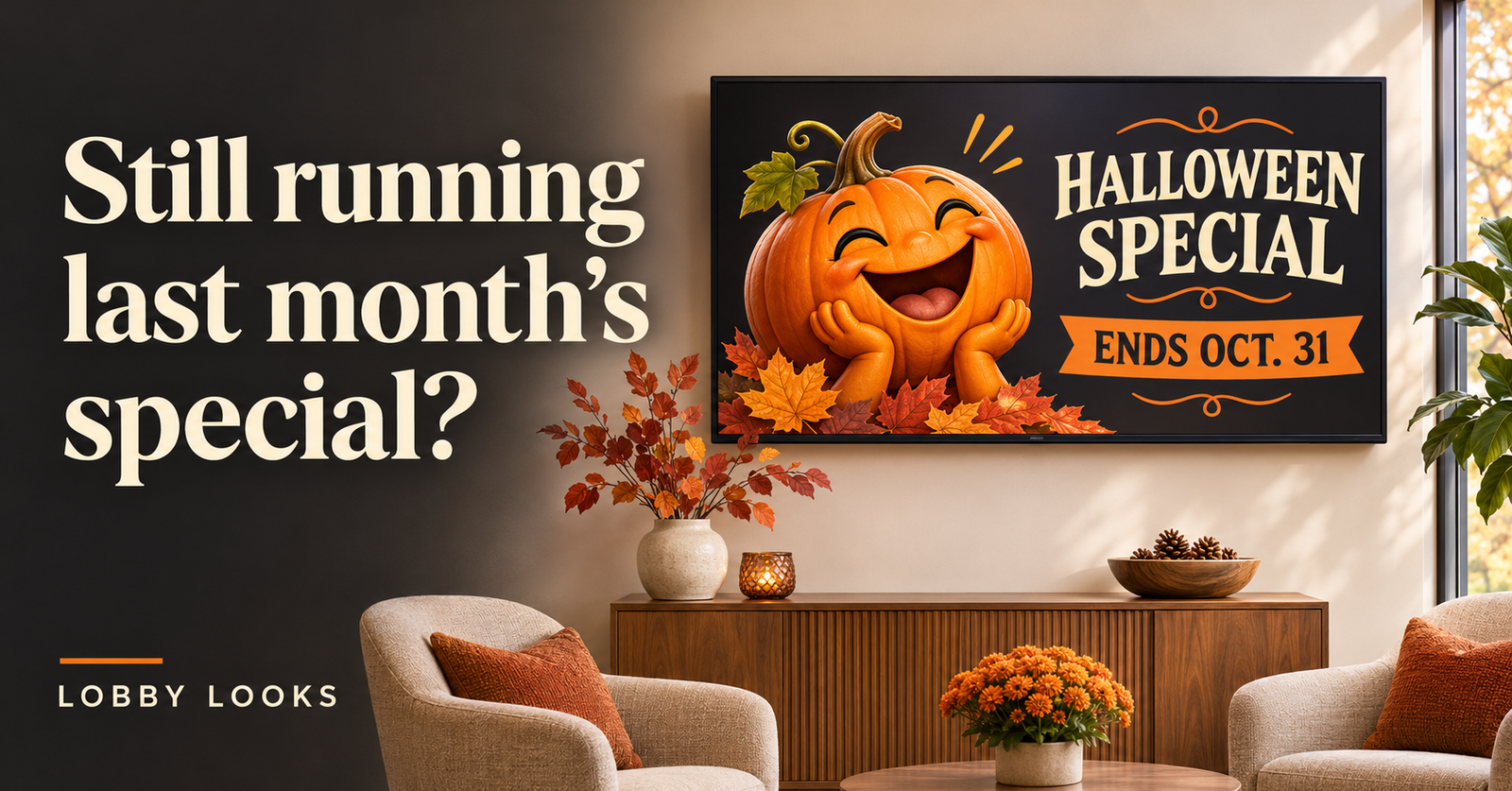
It’s November, and the pumpkin on your lobby TV is still having a wonderful time. He’s grinning beside a Halloween special that ended two weeks ago, while a customer wonders whether they can still get the discount. You meant to take that graphic down. Then the phone rang, a delivery arrived, and you spent the rest of the afternoon trying to catch up.
It happens. Once the TV is running, it’s easy to forget about what’s playing on it. You’re busy working, and you probably don’t spend much time sitting in your own waiting area. Your customers could see that Halloween pumpkin four times during a visit without you noticing him once.
“But the TV says…”
An old seasonal picture might just look out of place. An old price can leave you having an awkward conversation at checkout. The customer saw one amount on the screen and is being charged another. Now someone has to explain the difference, and the customer may feel uncomfortable asking which price they’re supposed to pay.
The same thing can happen with a service you’ve stopped offering, a product you no longer carry, or hours that have changed. You may have updated your website and put a new sign on the door, but the TV still needs changing. Customers have no way of knowing that you overlooked it. They’re reading information inside your business, so it’s reasonable for them to expect it to be correct.
A forgotten graphic isn’t the end of the world, but it can create extra work and confusion. Anything involving prices, hours, availability, or appointment instructions is worth checking before your staff has to explain it.
Decide when temporary messages come down
A welcome graphic can stay useful for a long time. A holiday closure notice has a much shorter life. If both go into the same rotation, it’s easy to leave them there together long after the holiday has passed.
When you add a temporary message, decide when you’ll remove it. If your display software lets you set an end date, do that while you’re adding the graphic. If you change the files manually, put a reminder in the calendar you already use. Don’t leave yourself relying on “I’ll remember,” especially during a busy season. We all know how that goes.
Give the file a useful name, too. “Holiday Hours — Remove December 27” is easier to sort through later than “Final Graphic NEW version 3.” You can keep the design to use again, but move it out of the active folder when it’s finished.
A five-minute content check
Start by opening the folder or playlist your TV is actually using. You might have updated a graphic on your computer without replacing the one on the screen. Give yourself five minutes to look for anything that needs removing, correcting, or checking. This is a quick review; you can work on replacement graphics afterward.
- Check the dates. Look for finished promotions, past events, old holiday hours, and booking deadlines. Read the smaller text, too—that’s often where the date is hiding.
- Check prices and availability. Compare what’s on the screen with your current menu or service list. Make sure the products, services, and offers are still available as described.
- Check the instructions. Look at phone numbers, website addresses, booking directions, and pickup details. Try any QR codes with your phone to see where they take you.
- Check the people and pictures. Remove introductions for staff who have left, update roles that have changed, and look for photos featuring things you no longer offer.
- Note what customers need to know next. Maybe your holiday hours are coming up, or appointments are filling earlier than usual. Write down what needs adding once you’ve dealt with the outdated information.
If you only have a few graphics, five minutes may be plenty. If there’s more to go through, use that time to catch the obvious problems and make a short list of what still needs attention. Remove anything you know is wrong, even if you don’t have a new graphic ready to take its place. After making changes, check the actual TV so you know they’ve gone through.
Keep it manageable
Choose someone to keep an eye on the screen, even if that person is you. It’s a small job that’s easy to miss when everyone assumes someone else is handling it. How often you check will depend on what you show. Weekly specials need more attention than a welcome message and a few general service graphics.
It also helps to include the TV whenever you update something elsewhere. If you change your prices, hours, booking process, or staff information, take a look at the screen content at the same time. You won’t need a whole new design every time something changes. Sometimes you just need to correct a line of text or take one slide out.
Lobby Looks creates custom graphics for lobby TVs, waiting rooms, and in-store displays. I’m based in Rhode Island and can help refresh the graphics you’re already using or put together new messages for the season ahead. If you’re not sure where to start, take a look at what’s playing today. There may be something on there you meant to change a while ago.