How Long Should a Message Stay on Your Lobby Screen?
You glance up at the TV and catch half a sentence before the screen changes. Then it switches to a new slide, and you’re left wondering what the first one said.
That’s what happens when a message doesn’t stay up long enough to read. The right amount of time depends on how much is on the screen and how quickly someone can take it in. A short welcome needs less time than appointment instructions with several steps.
Start with the message, not the timer
Before adjusting how long a slide appears, see whether you can make the message shorter. If the screen is holding a whole paragraph, it may need an edit—or to become two separate graphics.
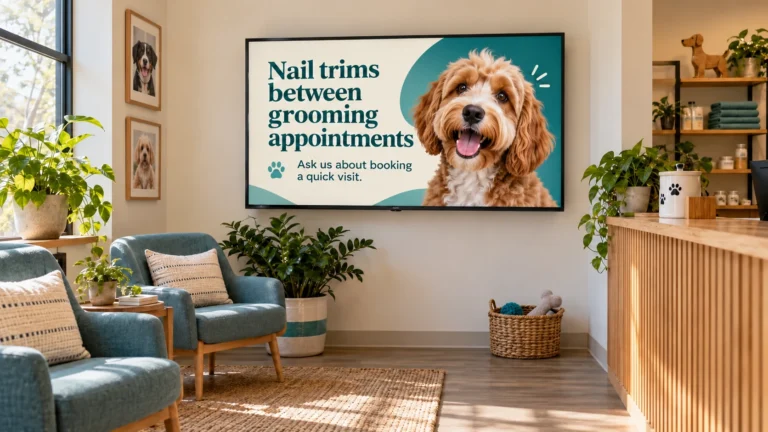
A grooming salon might show:
Nail trims between grooms
Ask us about booking a quick visit.
That’s easy to scan. A reminder about what to bring to an appointment may need a little more reading time, especially if it includes several details. Keep only the information customers need right then, and direct them to staff or a handout for the rest.
Try the read-it-out-loud test
Read the text at a natural pace, as if you were seeing it for the first time. Give yourself a moment to look at the image and understand the message, too.
If the slide disappears while you’re still reading, leave it up longer or cut some words. Nobody wants to read a waiting-room TV at race speed.
Check it from the customer’s seat
A graphic may be easy to read on your computer and harder to take in from across the room. Preview the slide from where people usually sit or stand. Look at the headline, smaller text, and any details someone needs to remember.
A café showing today’s special may only need the name and price. A repair shop explaining where to leave keys after hours may need a few more seconds for customers to follow the instructions. If the text is too small to read from the seats, increase its size or simplify the graphic. Extra display time can’t fix tiny text.
Make the whole rotation comfortable
If your screen cycles through several graphics, each one should have enough time to make sense on its own. A customer might look up at any point, so don’t make the message depend on the slide before it.
Keep the transitions calm and easy to follow. If slides change too quickly or use lots of motion, the screen can become distracting instead of helpful. Let the message be the thing people notice.
Test it, then adjust
There isn’t one perfect display time for every business or every slide. Watch a full rotation from the waiting area. If you have to hurry to finish a slide, shorten the message or leave it up longer.
Lobby Looks creates custom graphics for lobby TVs, waiting-room screens, and in-store displays. I’m based in Rhode Island and can help make your screen content clear, useful, and comfortable to read.